SeeKick

HomeFeaturesMatch viewer

The match, with everything drawn on it

Play the match with both teams, the referee and the ball followed frame by frame, and the same moment on a radar and a 3D pitch in real metres. Overlays are drawn over the video, never burned into it, so every layer switches on and off.

Tracked
Players, goalkeepers, the referee and the ball, on both teams
Positions
In metres on the pitch, typically within about one to two metres
Views
Video, radar, 3D pitch, or video and 3D side by side
Where
In the browser, on a laptop or a phone; nothing to install

On the video

Every player followed, frame by frame

Players, goalkeepers, the referee and the ball are detected and followed through the match, and each player is coloured by his team from the shirt the camera sees.

  • Both teams, the referee and the ball
  • Team colours fitted to each match, so a white and navy kit pair works as well as red and green
  • IDs until a name is known, then the name, on the video and everywhere else
  • Speed tags, trails and a carrier ring as layers you switch on
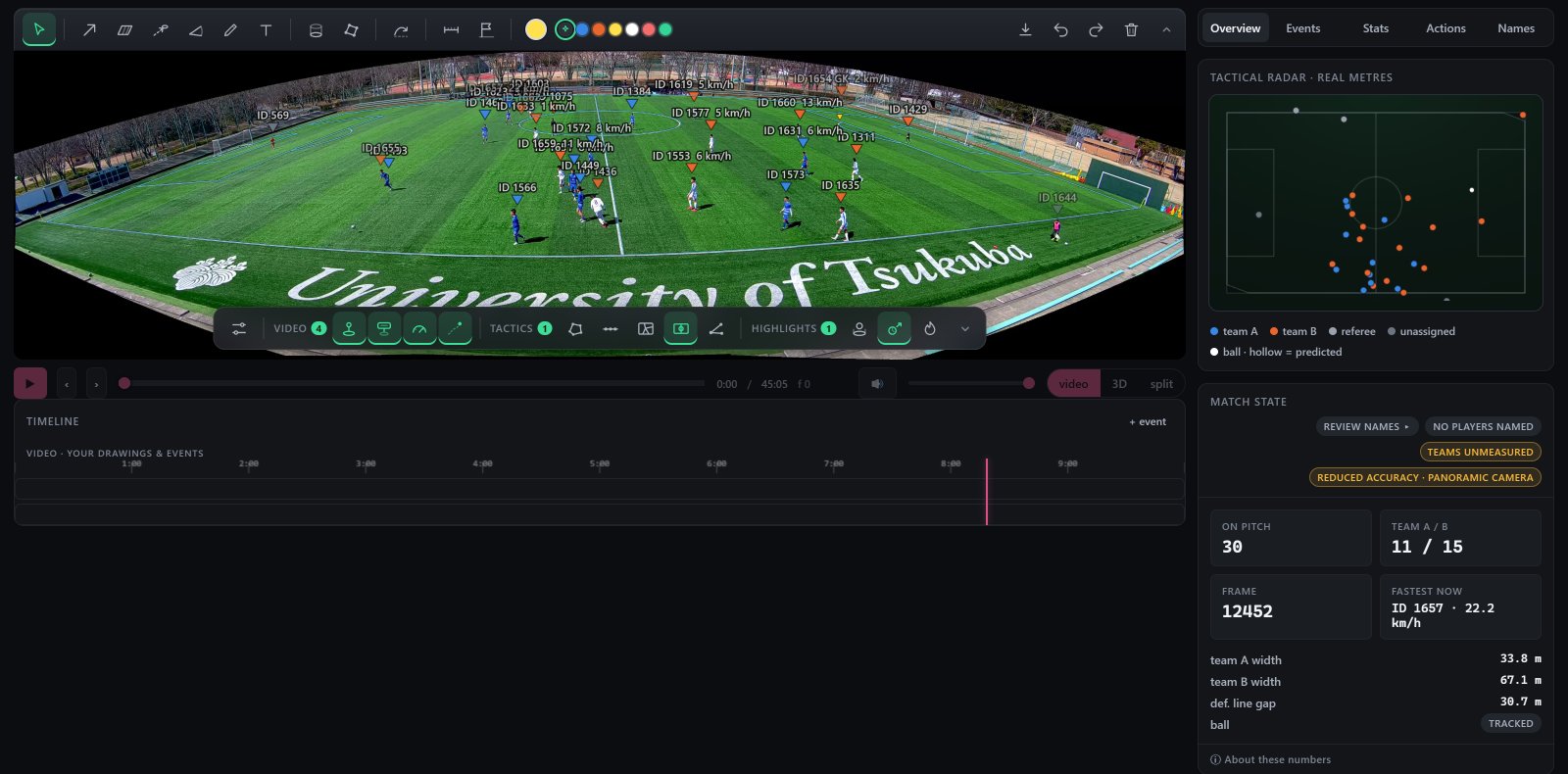
The SeeKick viewer: a match with every player boxed and labelled, a timeline under it, a radar in metres and the team shape numbers beside it
Fig. 1. The viewer on a SoccerTrack v2 research match: every player tracked, a radar in metres beside the video, each team's width and the gap to the defensive line.

In metres

The same moment on a radar and a 3D pitch

Positions are worked out on the real pitch from its painted lines, in every frame, so the radar and the 3D pitch show where each player actually stood. Turn the 3D pitch, fly round it, or play it side by side with the video.

  • Typically within about one to two metres
  • 3D presets: tactical, broadcast, behind the goal
  • Every layer and drawing also works on the 3D pitch
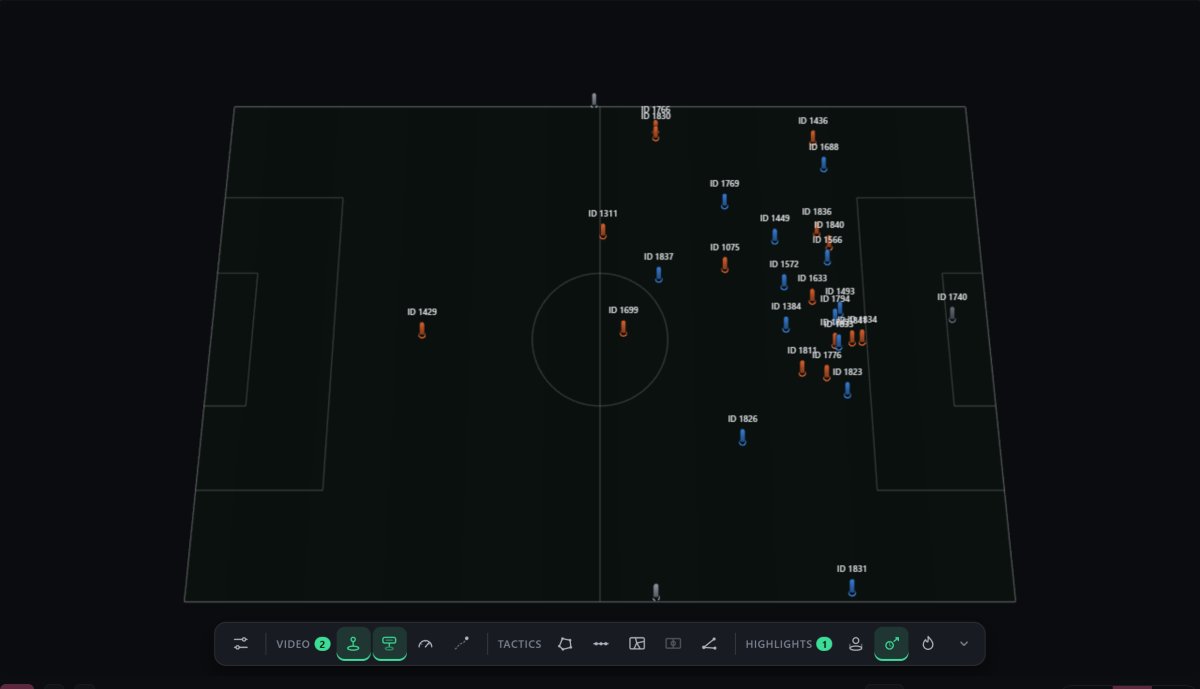
The 3D pitch: every player of both teams placed as a marker, labelled with an ID
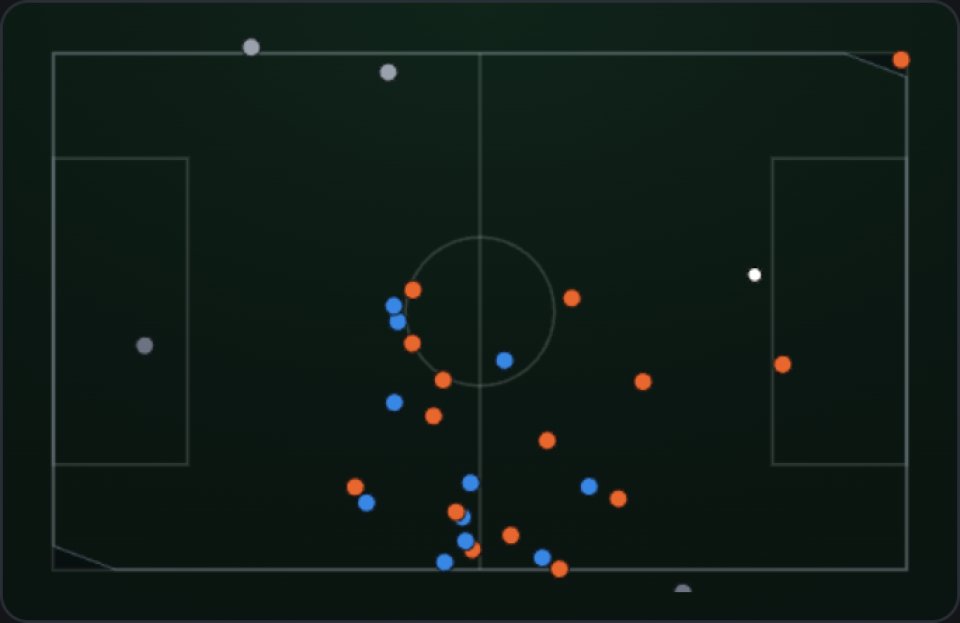
The radar: both teams' players as dots on a pitch drawn in metres
Fig. 2. The 3D pitch and the radar at the same moment, both in real metres.

01Watching

Built for going through a match

The controls an analyst reaches for on a Monday morning.

ControlWhat it does
Frame by frameThe arrow keys step one frame and pause; with Shift, one second. The timeline has one step per frame and shows the time under the pointer.
ZoomThe mouse wheel zooms the video where you point, and the drawings stay on their players.
Skip dead timePlayback jumps over broadcast replays and close-ups; seek into one and it plays.
Match clockOn broadcast footage the timeline is linked to the score-bug clock, so events sit at their real match minute.
Light copyA smaller copy of the video for staff watching from home on a slow connection, frame for frame the same.
Light and darkEvery page follows your device, or the switch you choose.

02Footage

Broadcast, manned or wide

Before anything runs, every upload is checked: whether players are big enough on the picture, whether shirt numbers can be read, and whether the kits can be told apart.

Broadcast and manned cameras following the play are what SeeKick is built and measured on. Cuts, replays, close-ups and crowd shots are recognised and left out rather than followed.

Wide fixed cameras are analysed in tiles so far players are still found. Running data works; shirt numbers rarely read at that size, so most names come from you, and the match carries a "reduced accuracy" badge saying why.

If the footage cannot give good results, you are told before the analysis, not after it.

03Limits

What it does not do

  • After the match

    Matches are analysed after the upload: overnight for a full match.

  • Only what the camera sees

    A player off the picture is not tracked, and every figure says how much of the match each player was on camera.

  • Metres carry an error

    Typically one to two metres, so a radar dot is a good position, not a survey.

Send us your next match.

We set up a private account for your club and analyse three matches at no cost. All we ask is 15 minutes of feedback after each.